Sign PDF documents with your real signature
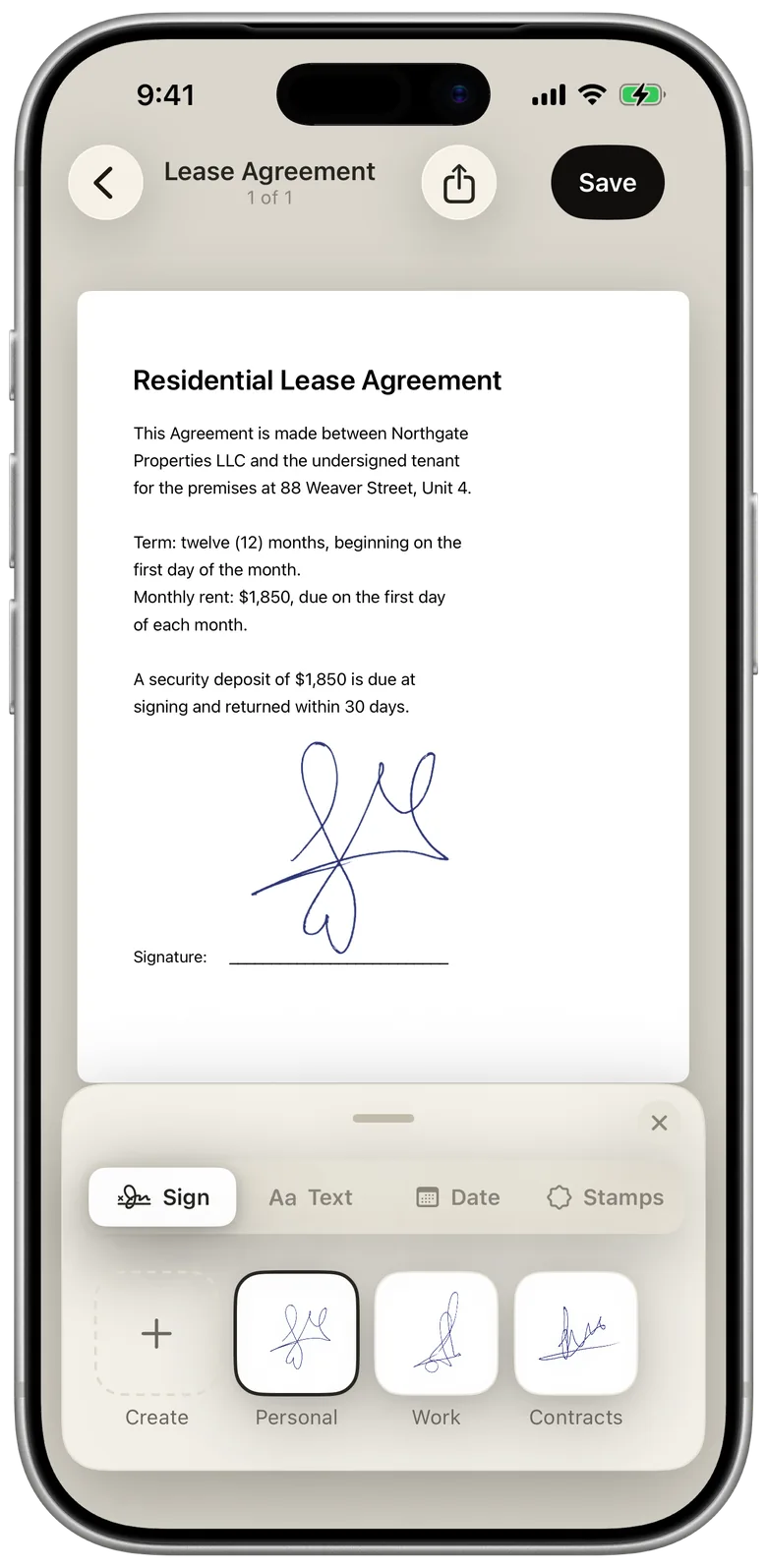
eSign Me is a signature scanner for iPhone. Photograph the signature you already write on paper, place it on any PDF, and send a link to whoever signs next. No printer and no scanner, on either side.

Scan your real signature
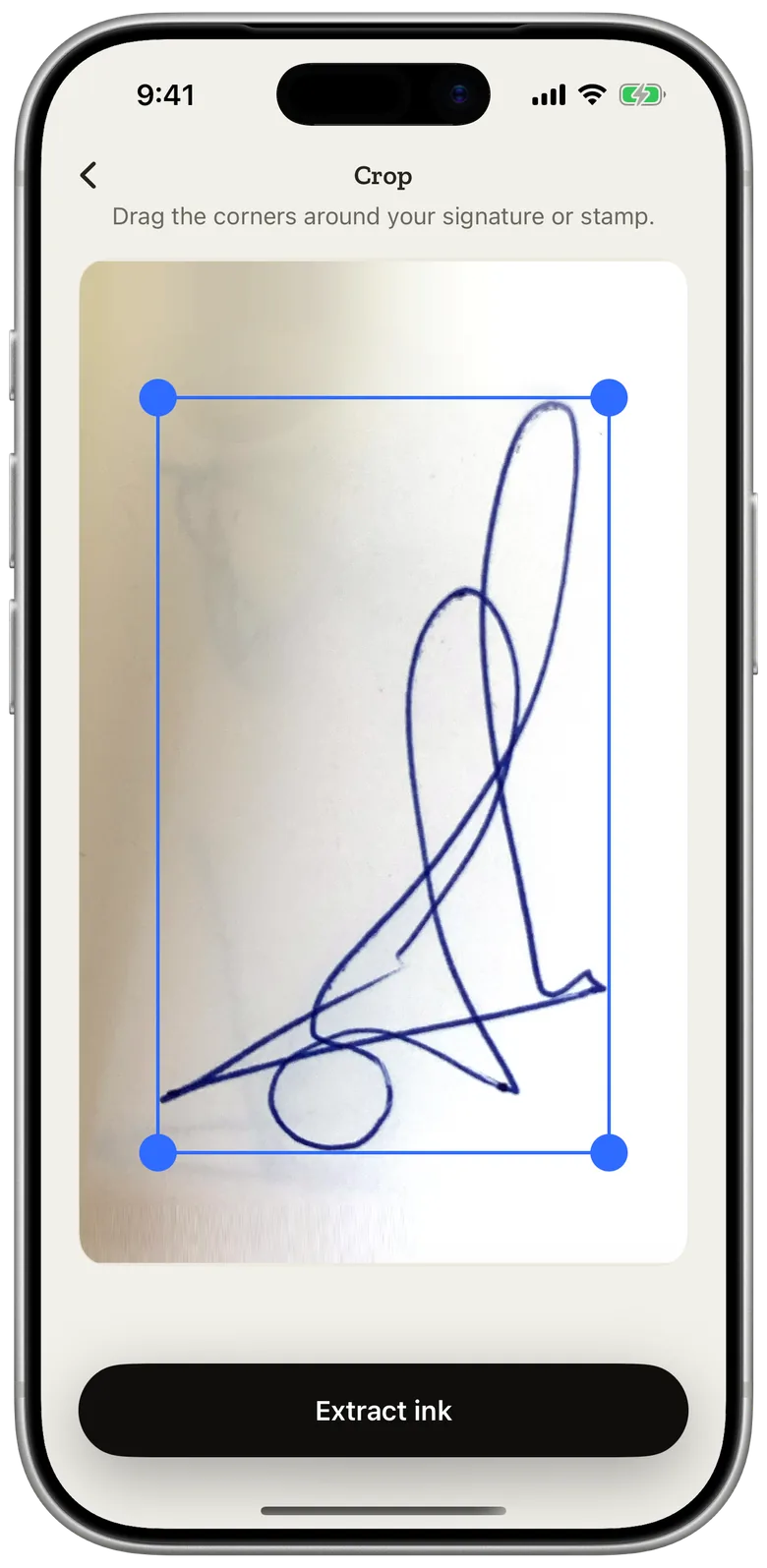
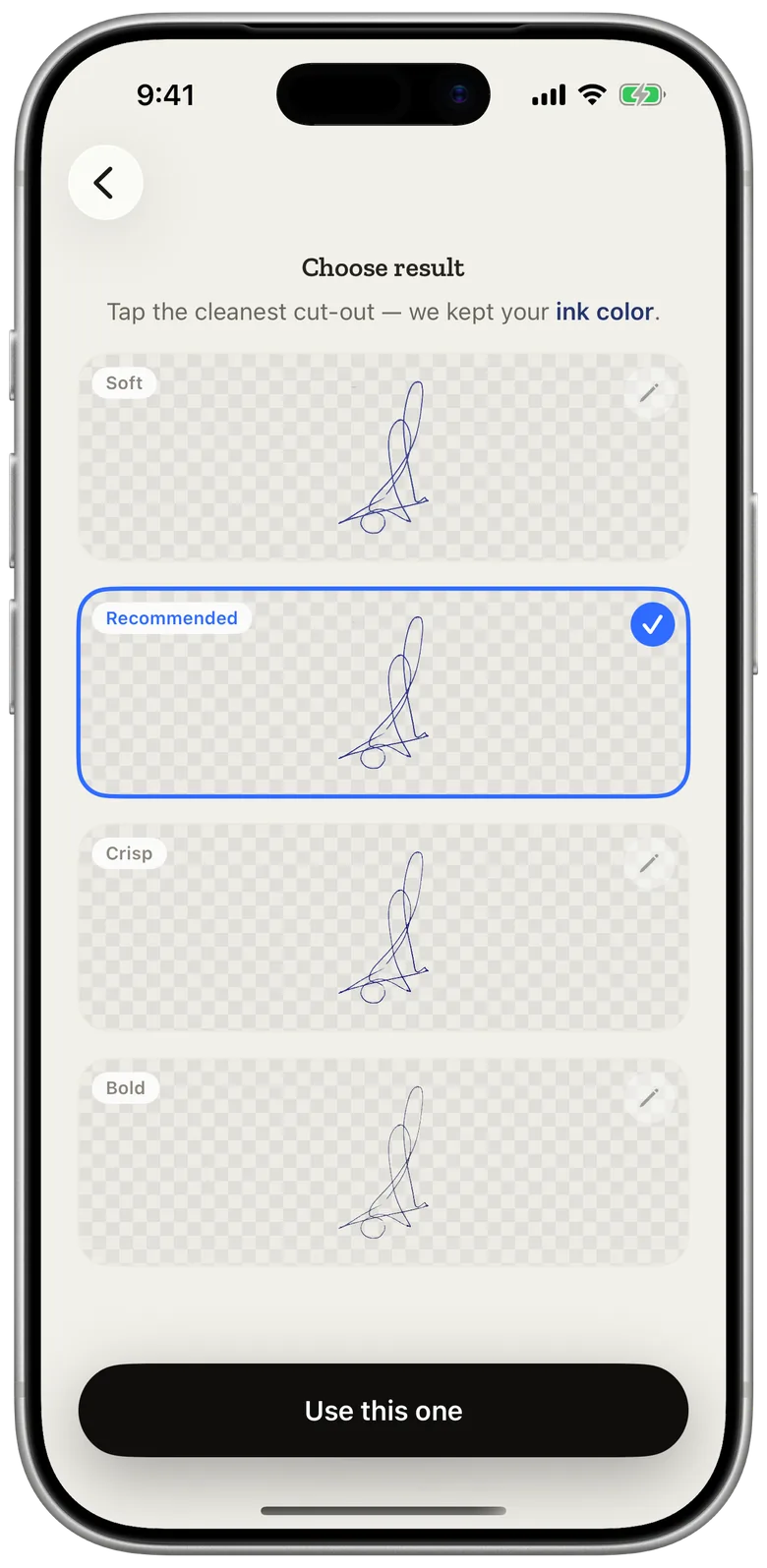
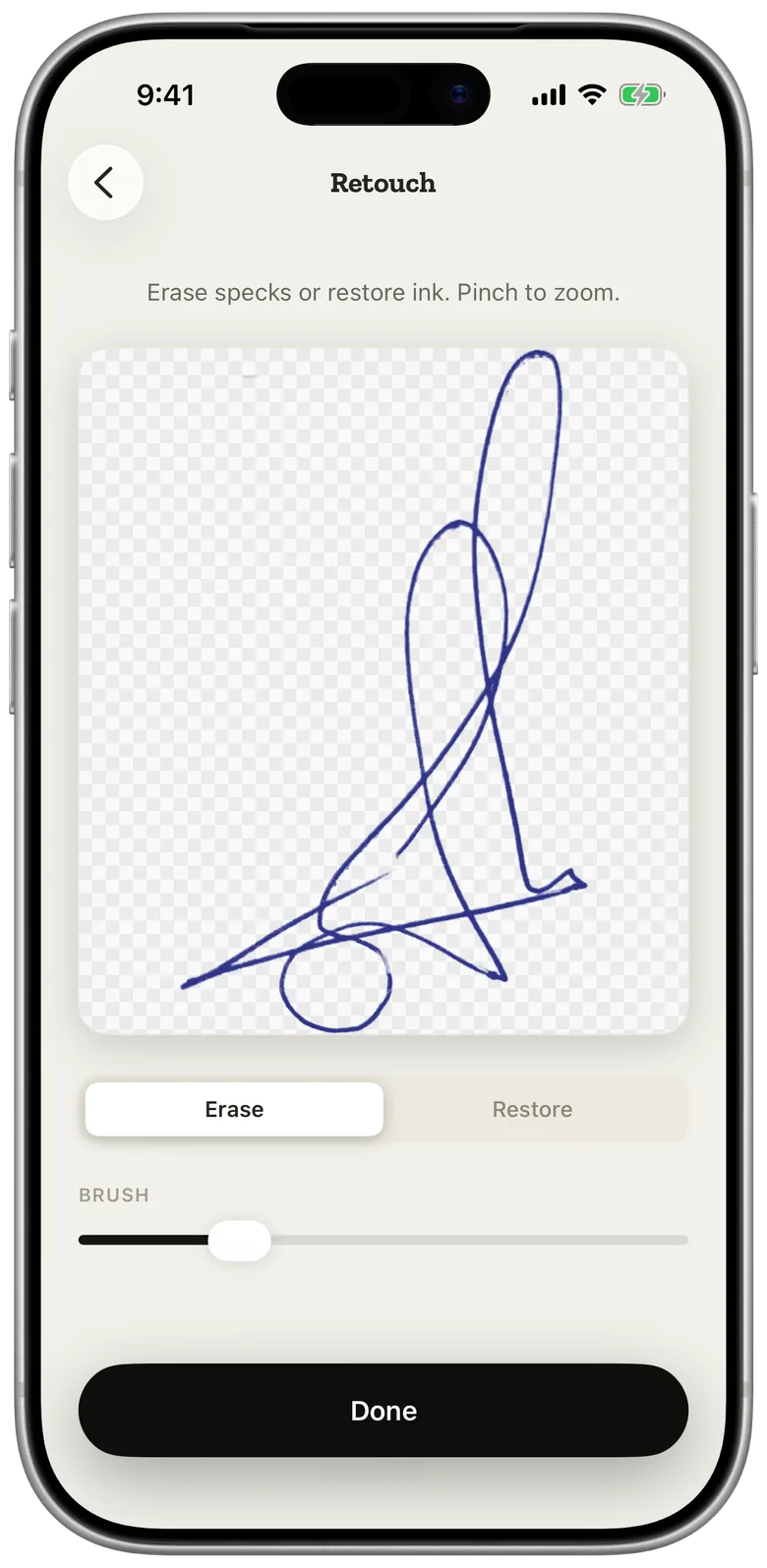
A name typed in a curly font doesn't look like you. Sign a sheet of paper once, point the camera at it, and eSign Me lifts the ink off the page: the paper drops away, and the stroke keeps the colour of the pen you actually held.
Erase specks or restore faint strokes, then save it. Initials and company stamps come through the same way, and you can still draw a signature on screen when there is no paper at hand.
Fill and sign any PDF
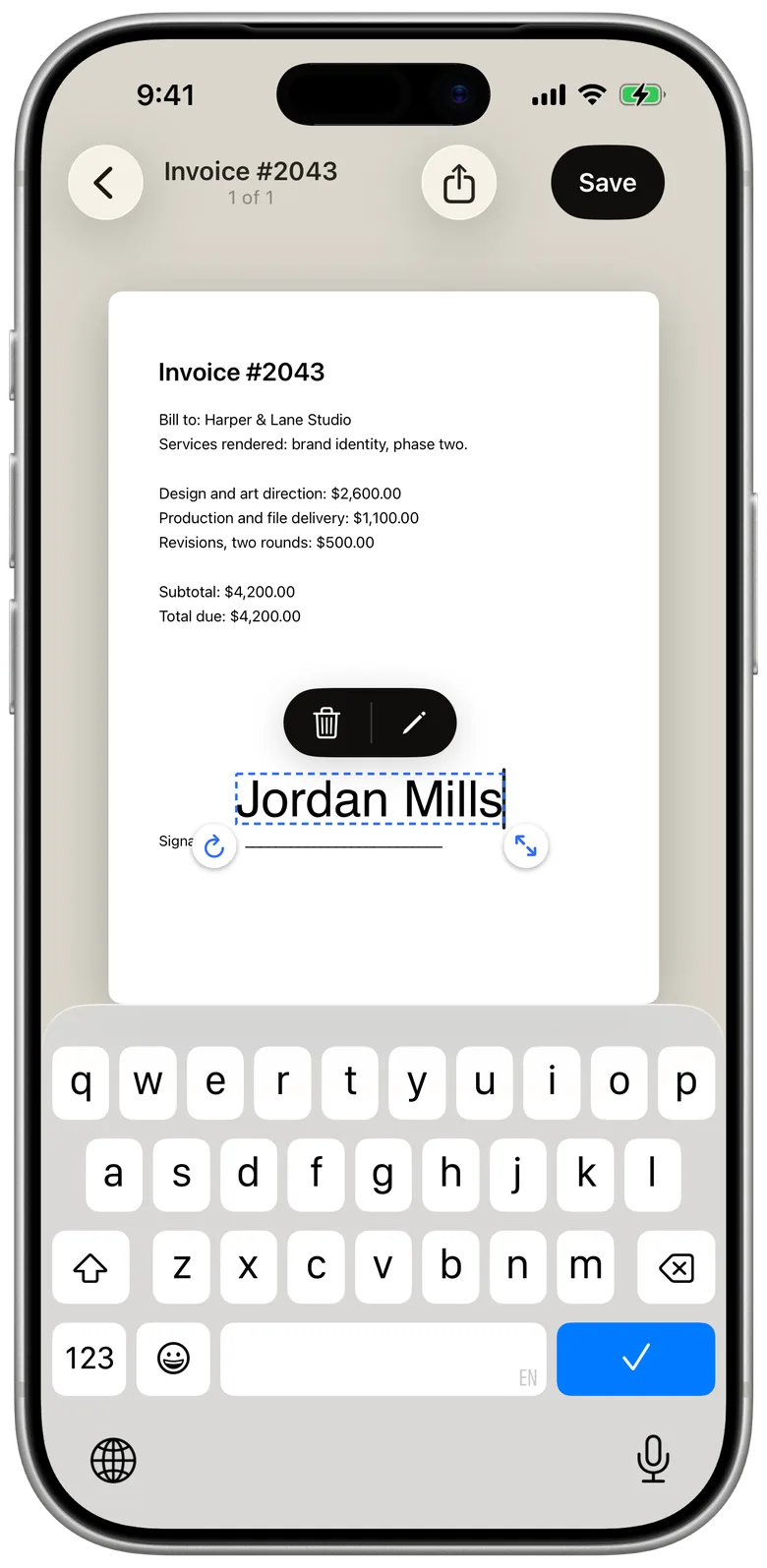
Open a PDF from Files, Photos or the camera, and put everything the page asks for where it belongs:
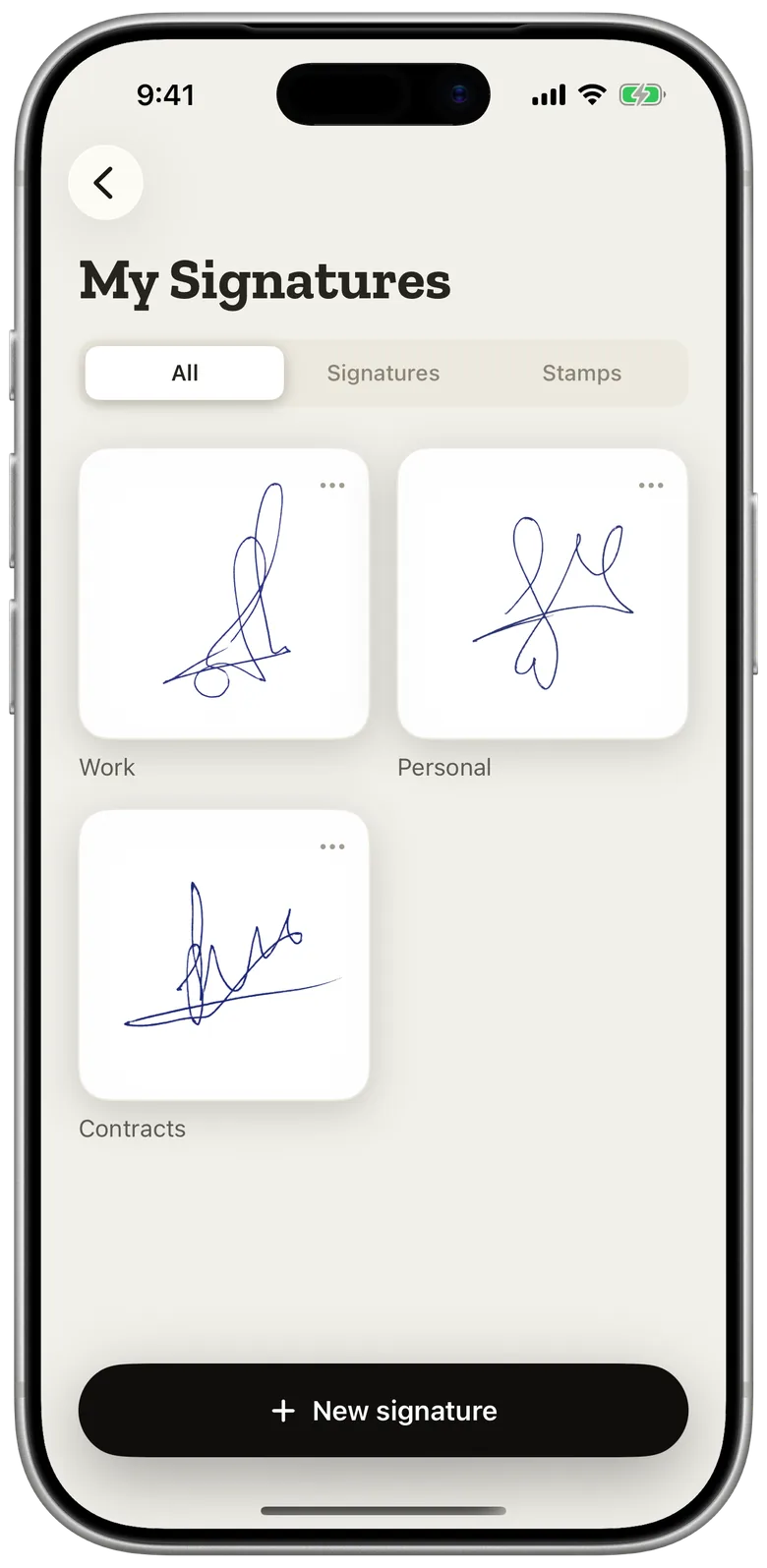
- Your handwritten signature, initials and stamps
- Text from details you saved once
- Dates in the format you prefer
- Size, rotation and ink opacity, adjusted with your fingers
Send it to the other signer
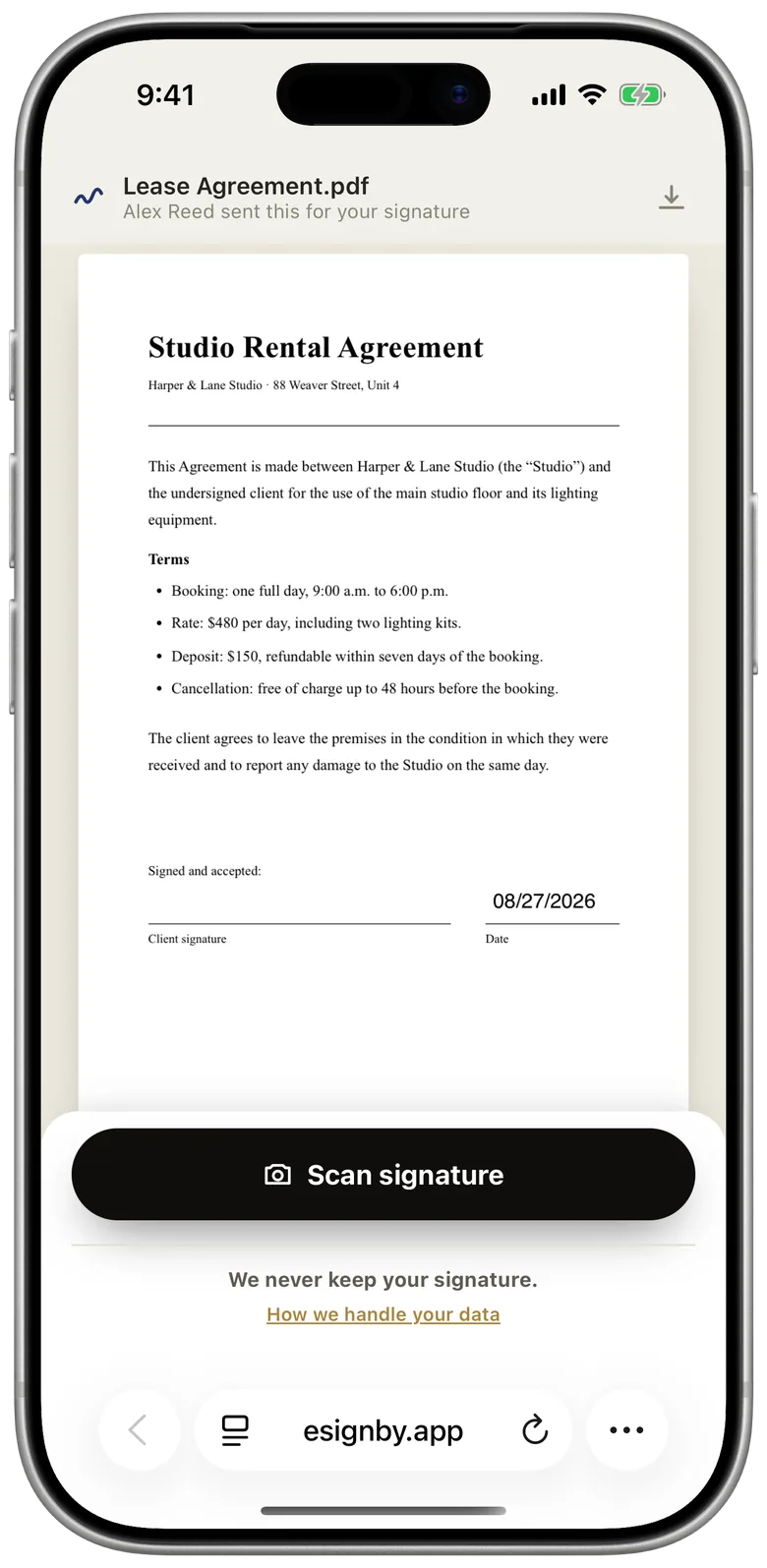
When a page needs someone else's signature, send them a link. They open it in the browser on any phone or computer and sign there, with no app to install and no account to create.
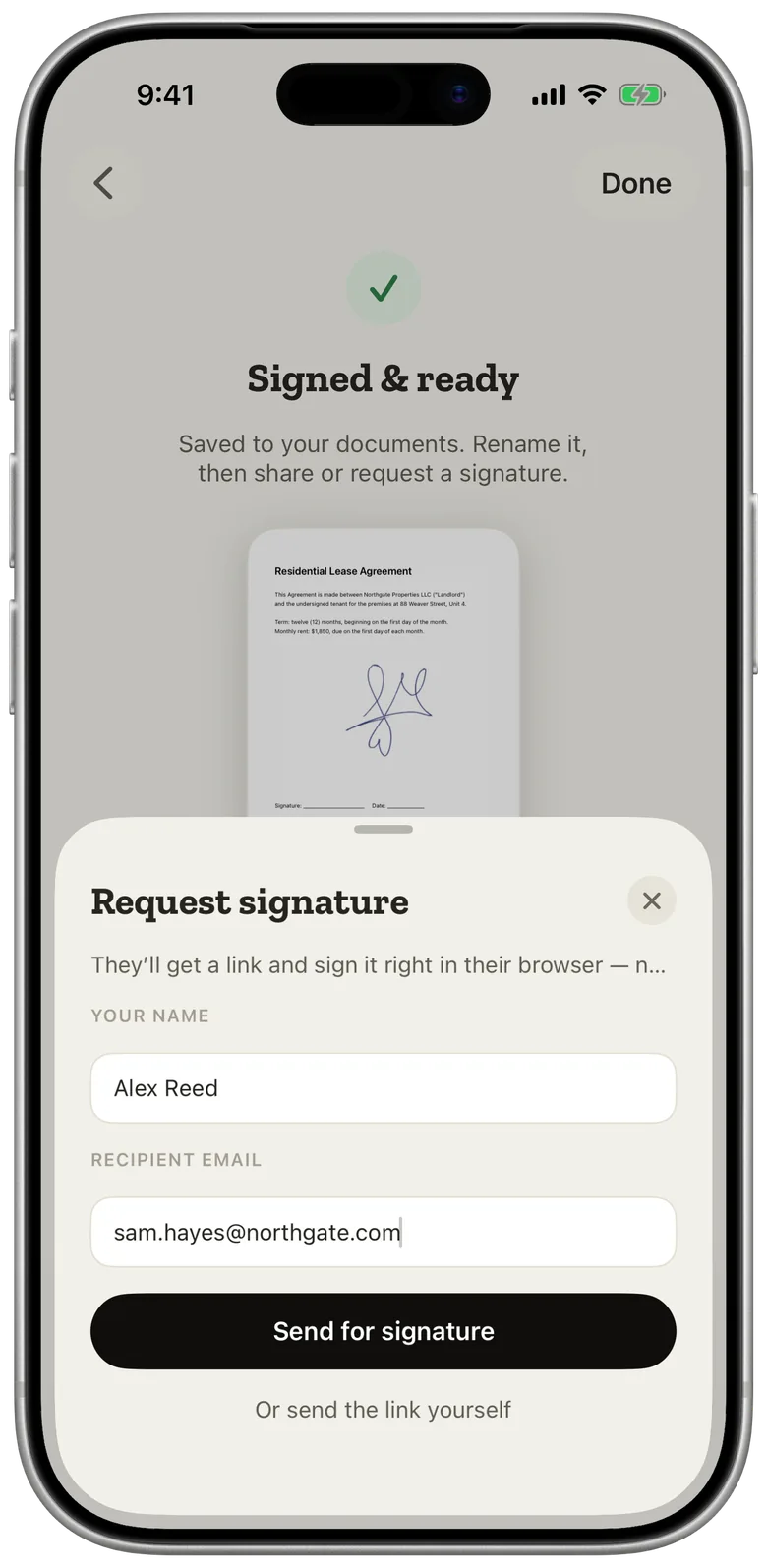
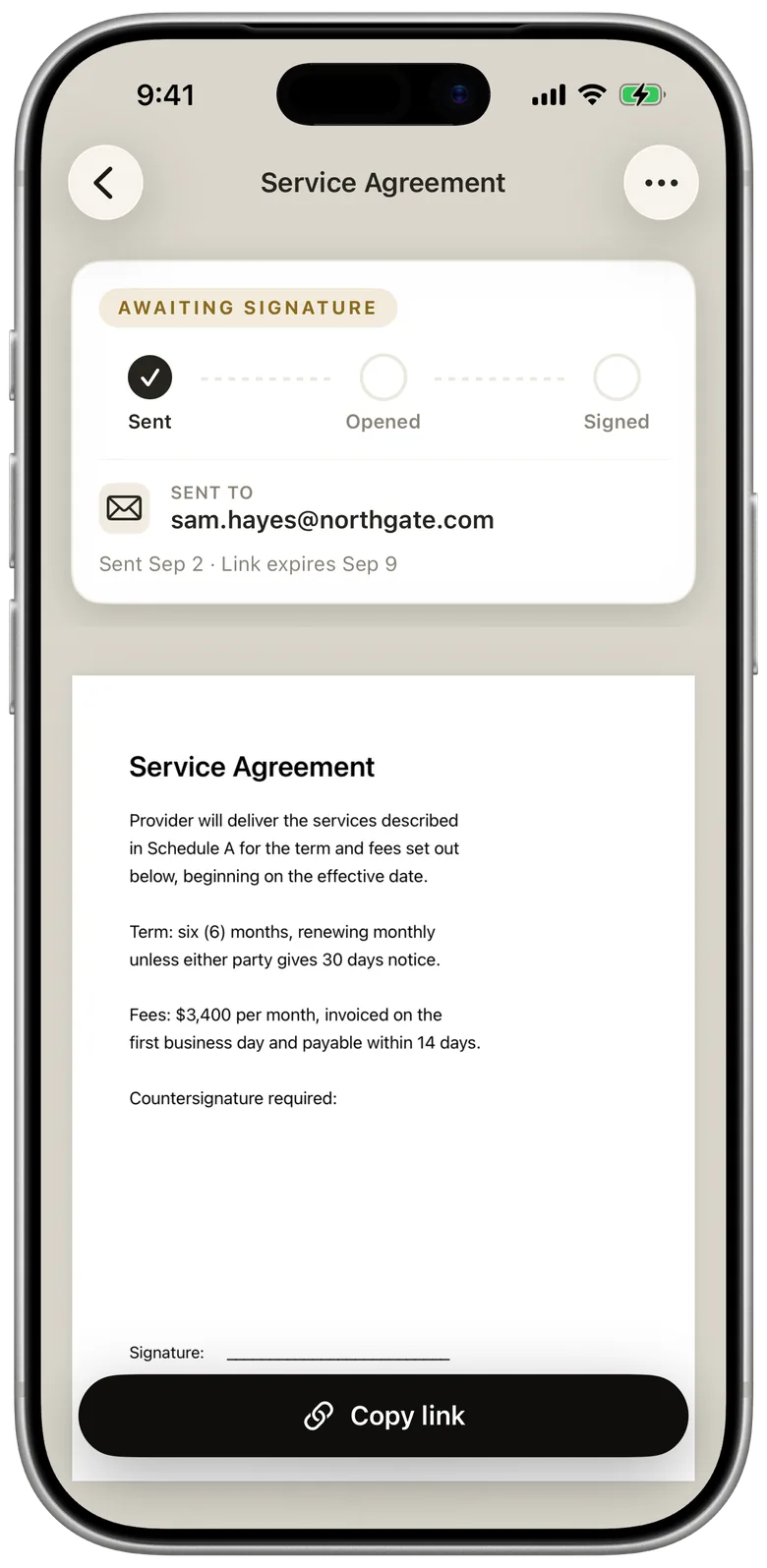
The request keeps you posted: sent, opened, signed. The signed copy lands back in your library.
Scan paper documents
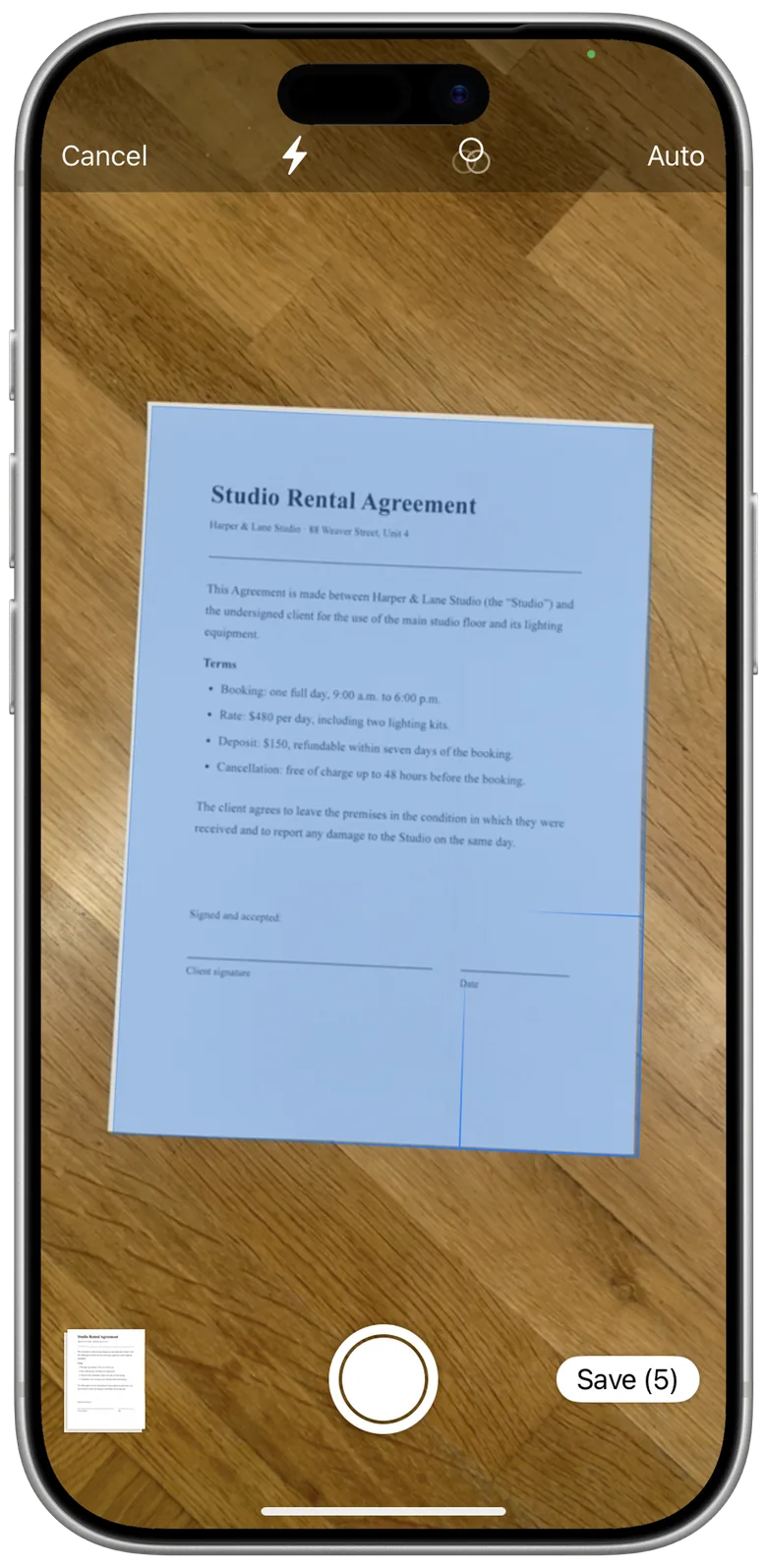
Got the contract on paper? Photograph it, and the camera squares up the page, evens out the lighting and saves a proper PDF, ready to fill, sign and send like any other.
Private by design
Your signatures and documents live on your iPhone, and the signature scanner does its work there too: your handwriting is not uploaded to capture it. A document reaches our server only when you send it for signing, and we delete it on a fixed schedule.
Read the Privacy PolicyQuestions
Does the other signer need the app?
No. They open your link in a browser and sign there. No install, no account.
Is it my real signature or a font?
Your real one. The signature scanner captures the ink from paper and keeps the colour of your pen. Stamps and initials work the same way.
Where are my documents stored?
On your iPhone. A document goes to our server only when you send it for signing, and it is deleted on the schedule described in our Privacy Policy.
Sign your next PDF without a printer